
The REST client
your Mac deserves
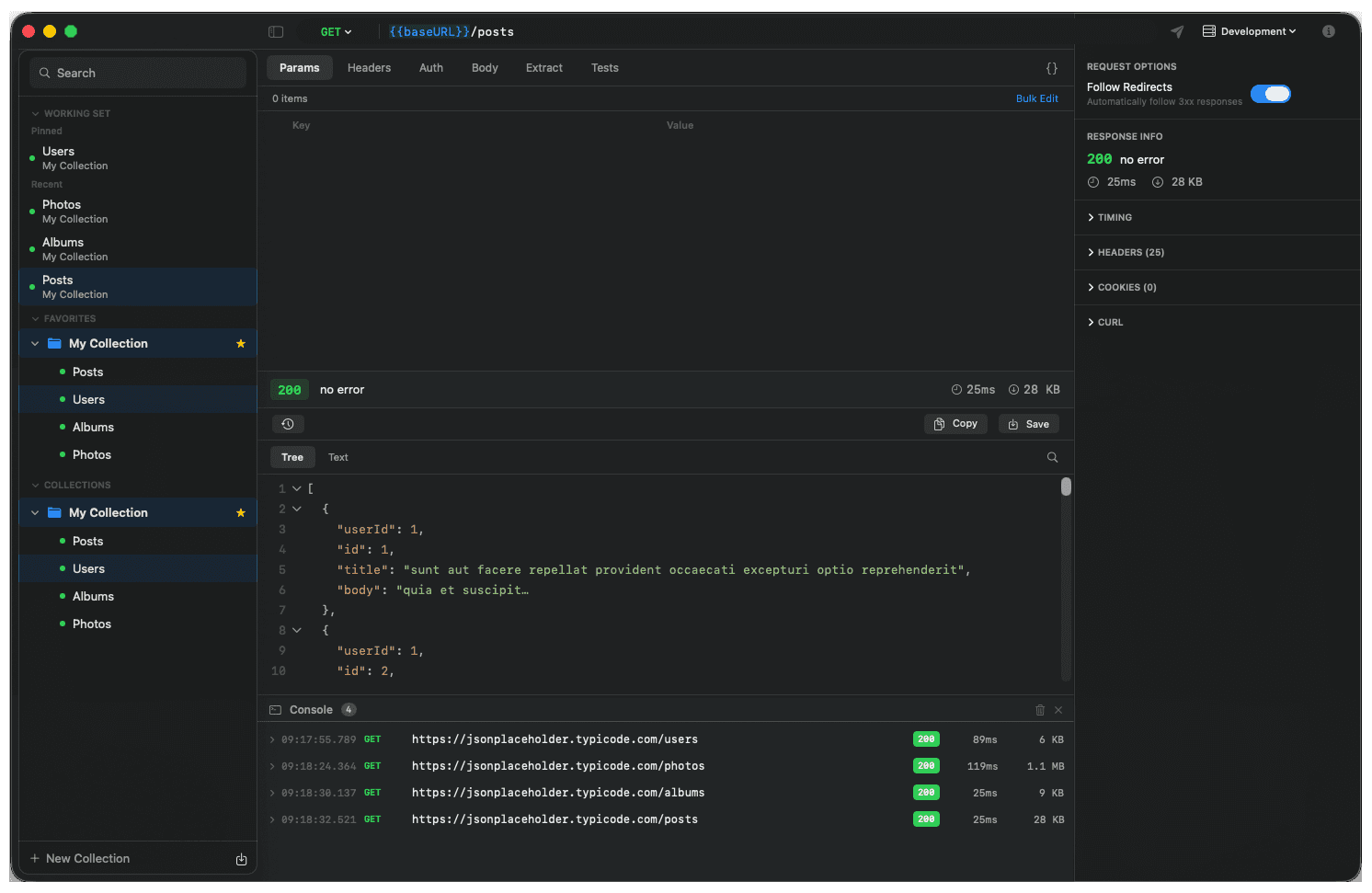
Fast, focused, and beautiful. Relay strips away the bloat and delivers only what matters — crafting requests, reading responses, and organizing collections.
Requires macOS 14 Sonoma or later
Features
Everything you need.
Nothing you don't.
Relay does one thing exceptionally well — HTTP requests and collections. No bloat, no learning curve, no subscription.
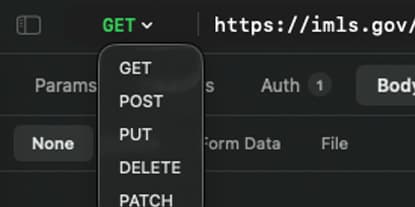
Every HTTP method
GET, POST, PUT, DELETE, PATCH — with a clean URL bar, method selector, and instant send.
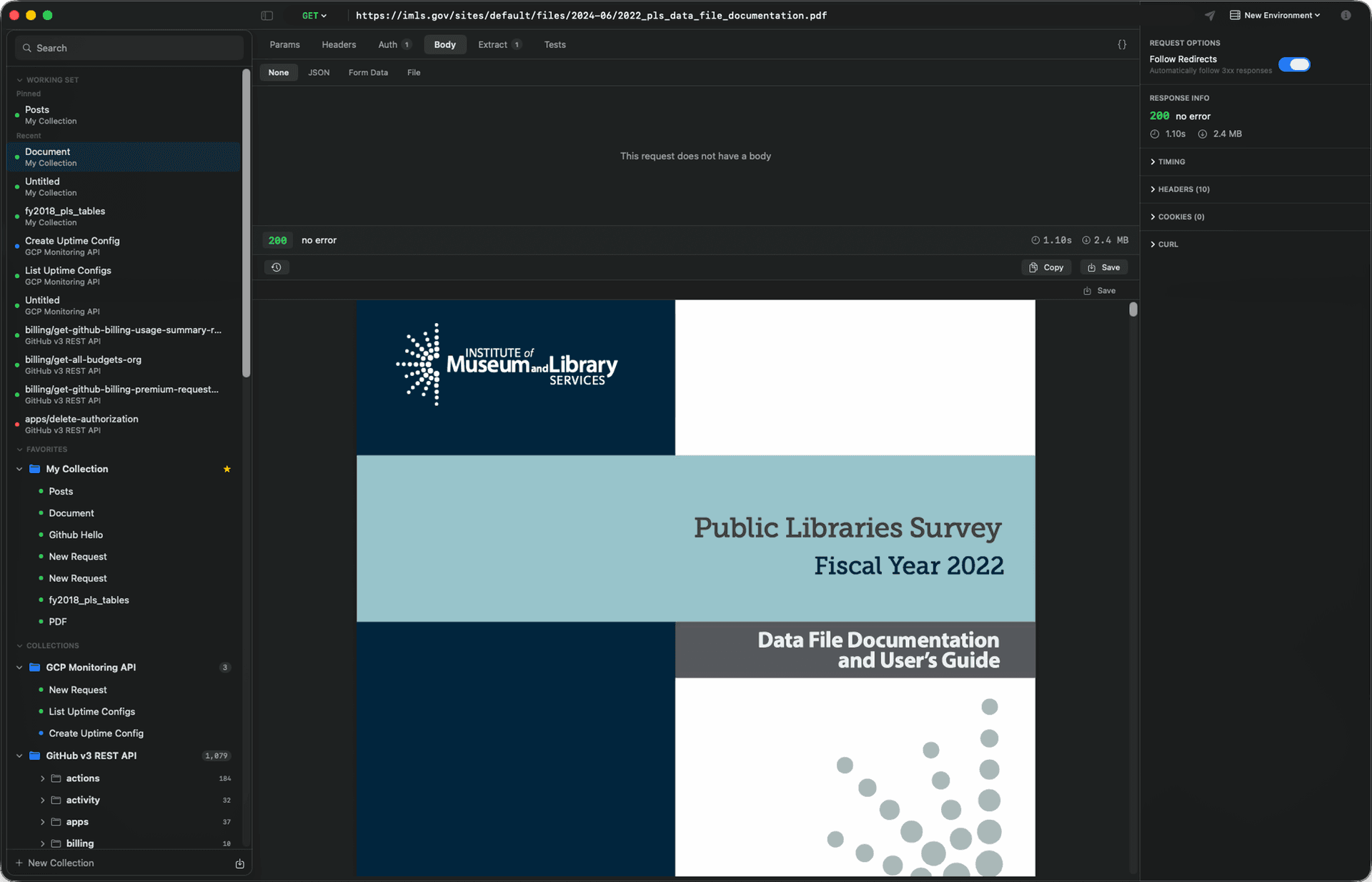
Rich response rendering
JSON with syntax highlighting and tree view, XML, HTML preview, PDF, images, and Office documents.
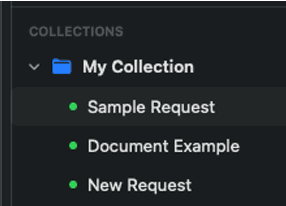
Collection management
Organize requests into nested folders. Drag and drop to reorder. File-based and git-friendly.
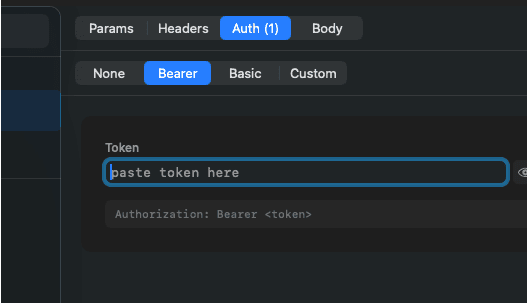
Built-in auth
Bearer token, Basic auth, and custom Authorization headers — configured per request, no extra setup.
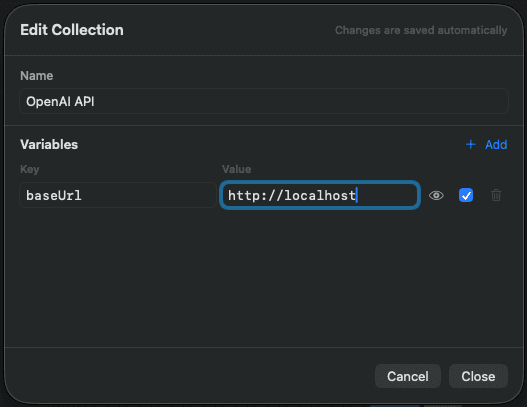
Collection variables
Define {{variables}} at the collection level. Secret variables are stored in macOS Keychain — never on disk.
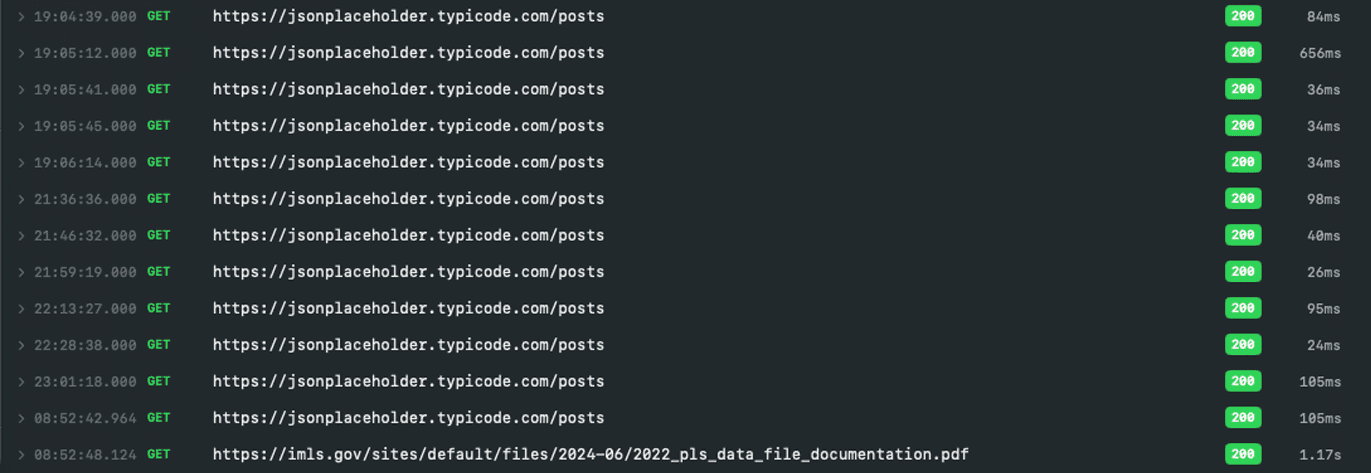
Network console
Integrated request/response log with timing, status codes, headers, and body preview. Like DevTools, but focused.
All 36 features
36 features across 6 categories
Collections & Folders
Nested folder hierarchies with drag-and-drop reordering and inline rename
HTTP Methods
GET, POST, PUT, DELETE, PATCH plus HEAD, OPTIONS, TRACE, CONNECT via toggle
Query Params & Headers
Key-value editors with toggleable rows, bulk edit, header autocomplete, and bidirectional URL sync
Authentication
Bearer token, Basic auth, and custom headers with {{variable}} substitution
Request Body
None, JSON, multipart form-data, and raw file upload with drag-and-drop
Response Viewer
JSON tree + text, HTML, XML, PDF, images, Office docs, hex dump, and large file handling
Code Generation
14 generator variants across cURL, Python, JavaScript, Swift, Go, Ruby, PHP, and Java
Import
Postman v2.1, Insomnia v4, OpenAPI 3.x / Swagger 2.0, and cURL commands
CloudKit Sync
Sync collections across all your Macs via iCloud with conflict resolution
Default Headers
Configure headers in Preferences that auto-populate every new request
Global Variables
Define {{variables}} available across all collections
Collection Variables
Scoped variables that override globals within a collection
Environments
Named variable sets (Dev, Staging, Prod) with one-click toolbar switching
Three-Color Highlighting
Orange for collection, teal for environment, blue for global, red for unresolved
Smart Autocomplete
{{ triggers grouped suggestions by scope in URL bar, headers, auth, and body
Secret Variables
Values stored in macOS Keychain rather than on disk
Variable Tooltips
Hover over {{var}} to see its resolved value and source tier
Lightweight Assertions
Declarative tests for status code, headers, JSON path, body contains, and response time
Response Value Extraction
Pull JSON values into collection, environment, or global variables using dot-notation paths
Response History
Last 15 responses per request stored on disk with timeline browser
Response Diff
Myers algorithm-powered line-by-line diff with colored additions and removals
Proxy Settings
HTTP, HTTPS, and SOCKS5 proxy with authentication and bypass lists
Client Certificates (mTLS)
PKCS12 import with Keychain-backed passwords, global or per-collection
Follow Redirects Toggle
Per-request control over 3xx redirect behavior
Cookie Jar
Auto-capture Set-Cookie headers and replay cookies, scoped per collection
Pinned Tabs
Pin frequently used requests that persist across app restarts
Recent Sessions
Auto-managed list of recently opened requests
Favorites
Star requests from any collection for quick sidebar access
Dirty State Tracking
Visual indicator for unsaved changes with Save/Discard/Cancel on close
Session Persistence
Full app state restored on launch — tabs, responses, variables, and environments
Response Body Search
Cmd+F across text and JSON tree views with match highlighting
cURL Import
Paste cURL commands with full parsing of quoted strings, flags, and continuations
Inspector Panel
Timing breakdown (DNS, TCP, TLS, TTFB), response headers, cookies, and cURL preview
Console
Per-request log with timestamp, method, URL, status, and elapsed time
Keyboard Shortcuts
22 commands for requests, navigation, view toggles, clipboard, and more
Request Cancellation
Cancel in-flight requests instantly via the Send/Cancel button
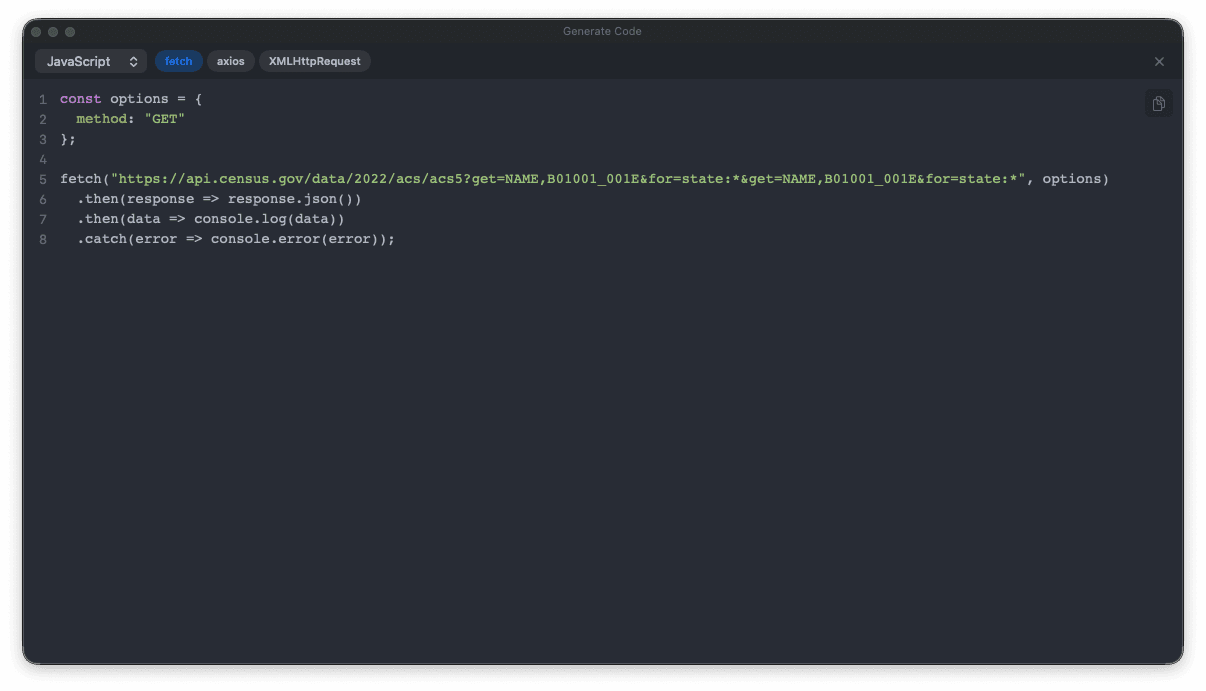
Code Generation
Export to any language
Turn any request into production-ready code with a single click. 8 languages, 14 library variants, live preview in a floating panel that stays out of your way.
Import
Switch in seconds
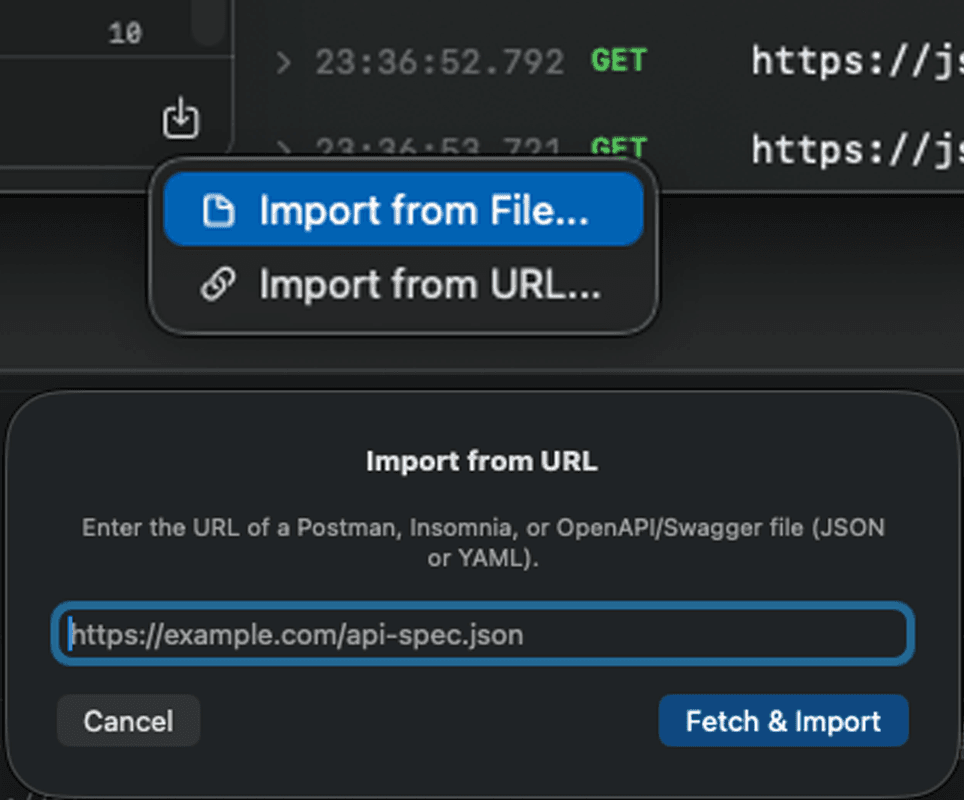
Bring your existing work with you. Import collections from Postman, Insomnia, or OpenAPI specs — including variables, auth configurations, and folder structure.
Postman
v2.1 collection format with variables
Insomnia
v4 JSON/YAML with nested groups
OpenAPI
3.x and Swagger 2.0, JSON or YAML
URL Import
Paste a URL to fetch and auto-detect format
iCloud Sync
Your collections, everywhere
Opt-in CloudKit sync keeps your collections and requests in your private iCloud database. Secret variables stay in Keychain — only names sync, never values.
Private CloudKit
Your data stays in your private iCloud database. No third-party servers, ever.
Keychain secrets
API keys and tokens stored in macOS Keychain. Never written to disk or synced to iCloud.
Delta sync
Only changed records sync. Fast, efficient, and works with intermittent connectivity.
Performance
Built for speed
Native Swift + SwiftUI means no Electron, no web views, no garbage collection pauses. Just raw performance.
< 500ms
App launch
Cold start to ready
< 50ms
Request overhead
Time added by Relay
< 16ms
Tab switch
Single frame render
< 100MB
Idle memory
With 5 tabs open
Keyboard First
17 shortcuts. Zero friction.
Every action has a keyboard shortcut. Keep your hands on the keyboard and your flow uninterrupted.
Why Relay
Less is more
Relay is for developers who are tired of bloated tools that try to do everything. Here's what makes it different.
What Relay does
- HTTP requests: GET, POST, PUT, DELETE, PATCH
- Auth helpers: Bearer, Basic, custom headers
- JSON editor with syntax highlighting
- Response rendering: JSON, XML, HTML, PDF, images
- Tab-based interface with scratch tabs
- Folder-organized collections on disk
- Code generation in 8 languages
- Import from Postman, Insomnia, OpenAPI
- Collection variables with {{syntax}}
- iCloud sync via private CloudKit
- Keychain storage for secrets
- Full keyboard shortcut coverage
Intentionally excluded
- Test scripts, automation, or CI/CD
- GraphQL, WebSocket, gRPC protocols
- Mock servers or API docs generation
- Plugin systems or marketplace
- Team collaboration or sharing
- Subscription or account required
These aren't missing features — they're deliberate design choices. Relay stays fast and simple by doing fewer things better.
Ready to try Relay?
Download the DMG, drag to Applications, and start making requests. Zero configuration. No account required.
Download for macOS